

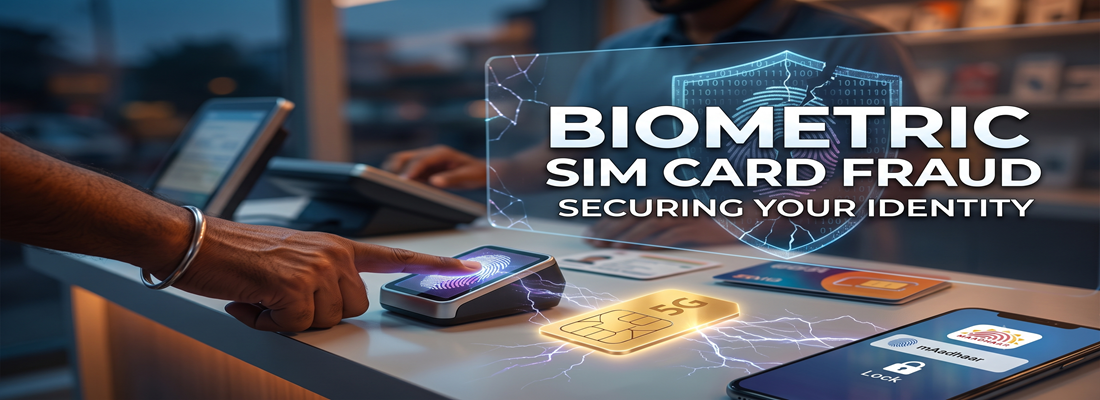
Is a Cybercriminal Using Your Name? How Scammers Steal Your Thumbprint to Sell Fake SIMs
Think about the last time you bought a mobile SIM card. You walked up to a counter, pressed your thumb on a little scanner, and walked away a few minutes later. But what if that simple thumbprint was secretly stolen to register a second, untraceable phone number in your name—one that is currently being used to scam innocent people or run extortion calls?
This dangerous trap is called biometric SIM card fraud, and it is quietly turning everyday citizens into police suspects. Dishonest mobile recharge agents and SIM vendors have figured out an easy trick to clone your identity right in front of your eyes.
Recent investigations have uncovered a massive black market operating right in our neighborhoods. Here is the simple truth about how this scam works, why your identity is at risk, and the quick setting you must change on your phone right now to protect yourself.
The “Thumb Trick”: How They Steal Your Identity in Seconds
When you visit a local mobile shop to buy a new number or update your KYC, the shopkeeper asks you to place your finger on a biometric scanning machine. This scans your print to verify your official records.
Most vendors are honest, but corrupt agents use this everyday moment to pull off a fast, well-rehearsed trick:
- The First Touch: You press your finger on the scanner. The machine beeps. Behind the scenes, your real SIM card application goes through without a hitch.
- The Fake Error: Instead of finishing up, the agent makes a frustrated face and says, “Bhaiya, server down chal raha hai” (The server is down) or “Aapka fingerprint scan nahi hua, ek baar phir se lagaiye” (Your fingerprint didn’t match, please press again).
- The Second Touch: Because you trust the shopkeeper, you do not think twice. You press your thumb down a second time.
- The Secret Number: That second touch was never for your phone. The first scan already completed your purchase. The agent quietly uses the second scan along with the identity documents you just handed over to activate an entirely separate, secret SIM card.
You leave the shop with the single phone number you paid for. The corrupt agent keeps a live, fully verified “ghost” SIM card that carries your legal name, your photo, and your government identity.
Here comes the real question: Why Would a Shopkeeper Do This to You?
Why would a local shop owner risk going to jail just to create a duplicate number? The answer is quick, dirty cash.
Cybercriminals, blackmailers, and digital loan sharks can never use their own identity to make calls or receive stolen money. The moment they do, the police can track their tower location and arrest them. Instead, they buy pre-activated SIM cards that lead investigators straight to a dead end—or rather, straight to you.
Corrupt retail agents sell these illegally activated SIM cards on the underground market for ₹500 to ₹1,500 each. For a crooked kiosk operator processing dozens of people daily, pulling this thumb trick just three or four times brings in thousands of rupees in fast, untraceable profit.
The tragedy hits later. When that number is used to loot someone’s life savings, the police do not see the face of the cybercriminal. They only see your Aadhaar details on the call records. You are the one who gets summoned for questioning, whose bank accounts get frozen, and who has to fight a terrifying legal battle to prove you had no idea the number existed.
The Big Crackdown: How Widespread Is This Problem?
This is not a rare trick pulling in a few rupees here and there. It has grown into an industrial-scale racket.
In a sweeping crackdown led by the Cyber Crime and Security Unit (CCSU) across country, law enforcement uncovered shocking numbers:
- Over 17000 retail agents were put under immediate police surveillance for running duplicate biometric activation rackets.
- Police arrested 20000 crooked vendors across multiple districts of the country during coordinated sting operations.
- More than 35000 shopkeepers were permanently blacklisted by network providers in the state capital within just eight months.
If this can happen across nearly half a million SIM connections in metropolitan areas, it can happen to anyone walking up to a retail kiosk.
4 Golden Rules Every Customer Must Follow
We do not need to be an IT expert to stay safe. We simply need to treat our thumbprint with the exact same caution you use for your ATM PIN or your phone unlock pattern.
- Never Give a Second Scan Blindly: If the person behind the counter tells you the scan failed or the server timed out, politely ask to look at their computer or mobile screen. Official telecom apps clearly display an error alert if a network drops or a biometric read fails.
- Tell Them to Cancel and Restart: If an agent insists on rescanning your finger because of a glitch, do not just press your thumb again. Tell them to completely cancel the current screen, close the application, and start the process fresh.
- Stick to Big Company Stores: Whenever possible, buy your SIM cards or complete biometric updates at official brand outlets (like company-owned Airtel, Jio, or BSNL centers) rather than roadside stalls.
- Check What is Registered in Your Name: Take two minutes to check the government’s official Sanchar Saathi portal (specifically the TAFCOP service). Simply type in your current mobile number, enter the OTP, and the portal will show you every single SIM card active under your Aadhaar. If you see a number you never bought, click the button to report and block it on the spot. For more details please read our Blog: https://cyberknights.in/aadhaar-sim-card-fraud-check-guide
The Instant Fix: Lock Your Biometrics on Your Phone
The best way to protect yourself forever is to lock your biometric data at the root. The government’s official mAadhaar app gives you a digital lock and key for your fingerprints.
When your biometrics are locked, nobody can run an authentication using your thumbprint—not a shopkeeper, not a bank kiosk, not even an identity operator. Any scan automatically fails on the server. When needed, unlock your SIM/identity for 10 minutes, complete the task, and it automatically locks again.
Here is how you can set it up in two minutes:
- Download mAadhaar: Install the official mAadhaar app on your phone, open it, and set up your 4-digit security PIN.
- Open Your Profile: Tap on your linked profile card on the main screen. (If you haven’t linked it yet, enter your 12-digit Aadhaar number and the SMS OTP you receive).
- Find Biometric Settings: Scroll down the list of services and tap Biometric Lock / Unlock.
- Accept the Prompt: Tick the small box agreeing to the terms.
- Captcha and OTP: Type the security code shown on your screen, press Request OTP, and enter the code sent to your phone.
- Tap Submit: Hit Enable Biometric Lock.
The moment you see the green confirmation, your fingerprint is securely locked away.
Your Identity Is Yours—Do Not Let Scammers Take It
In today’s digital world, your fingerprint is more than skin—it can unlock your identity, finances, and reputation. Criminals know this, and they count on us being too distracted or polite to question a vendor at the counter.
Take back control today. Lock your biometrics inside your mAadhaar app and keep your eyes fixed on the screen whenever you buy a new number. A couple of minutes of caution is all it takes to keep your name clean and your family safe.
Leave a Reply