

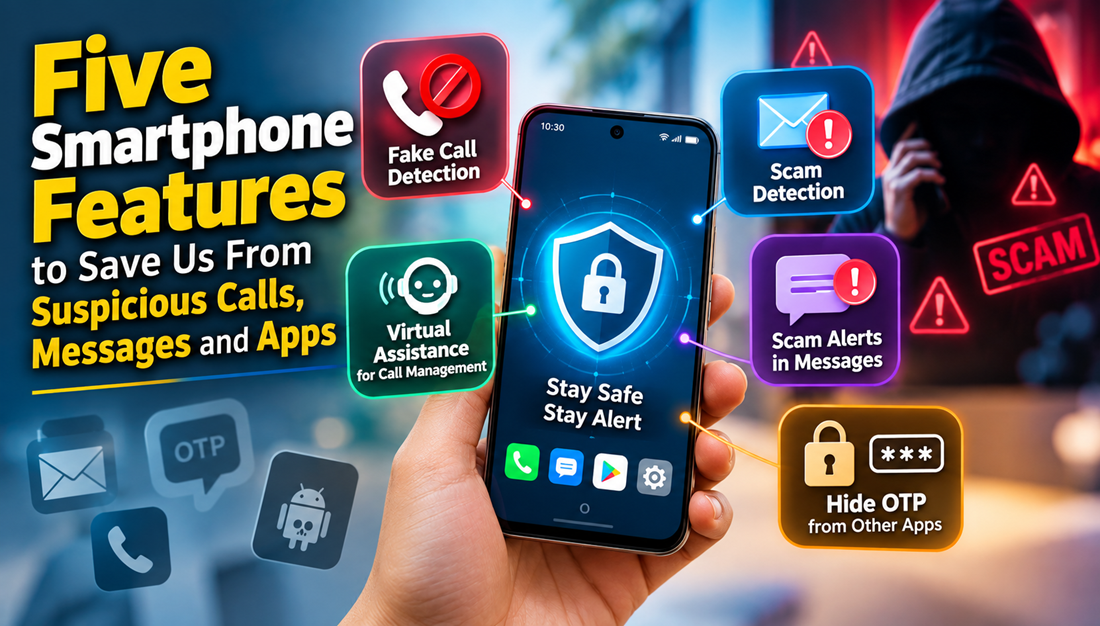
5 Essential Smartphone Security Features That Protect You From Cyber Scams
From mobile banking and digital wallets to corporate emails and private conversations, our handheld devices hold the keys to our digital lives. However, this convenience also makes mobile users prime targets for cybercriminals deploying phishing links, malicious applications, and deceptive phone calls. Activating built-in smartphone security features is the most effective way to detect malicious activity, filter deceptive communications, and secure your personal data before damage occurs.
-
Real-Time Caller ID & Fraud Call Filtering
Scammers regularly spoof phone numbers to impersonate financial institutions, courier services, utility providers, and law enforcement agencies. Their objective is social engineering: creating panic to extract sensitive authentication credentials like UPI PINs, internet banking passwords, or identity details.
Modern Android (Phone by Google) and iOS devices feature native spam identification databases integrated directly with network carrier data:
- Spam & Fraud Warnings: Calls matching active complaint databases display alert banners such as “Suspected Spam”, “Scam Likely”, or “Potential Fraud”.
- Automatic Robocall Blocking: Devices can automatically silence or disconnect numbers with high spam reports without ringing your phone.
Operational Rule: Never rely exclusively on caller identification. If a caller requests urgent action regarding a frozen account or pending courier, hang up immediately and reach out through the organization’s verified official application or website.
-
Automated Call Screening & Virtual Assistants
Interactive voice screening acts as an automated firewall between you and unknown callers. Available natively via tools like Google Assistant Call Screen or third-party dialers, this technology screens incoming numbers before you ever pick up.
How It Operates
- An unknown number rings.
- The virtual assistant answers and asks the caller to state their name and reason for calling.
- The response is transcribed live on your screen in real time.
- You decide whether to answer, decline, or report the caller as spam.
This capability filters out pre-recorded robocalls, aggressive telemarketers, and phishing operations while ensuring you do not miss legitimate deliveries or business communications.
-
Heuristic Link Scanning in Messages (SMS Phishing Protection)
SMS phishing (“smishing”) relies on artificial urgency—such as notifications about severed electricity services, blocked bank profiles, or pending parcels—paired with shortened, malicious hyperlinks.
Built-in message protection in modern operating systems provides essential layers of defense:
| Threat Type | Mechanism | Protective Feature |
| Phishing URLs | Malicious redirect pages designed to capture login credentials | In-line browser link inspection flags high-risk domains before opening. |
| Spam Campaigns | Mass distribution of fraudulent payment requests | Machine learning models group unknown bulk senders into a segregated spam folder. |
| Identity Impersonation | Fake corporate sender IDs | Verified SMS protocols display official enterprise badges for authenticated businesses. |
-
Notification Privacy & Lock Screen OTP Masking
One-Time Passwords (OTPs) serve as the second authentication factor for wire transfers and credential resets. If your lock screen displays banner previews, anyone near your device—or a malicious background service—can read this verification code without unlocking the phone.
Recommended Privacy Adjustments
- Disable Lock Screen Previews: Navigate to your device’s notification settings and set preview alerts to “Show content only when unlocked” or “Hide sensitive notification content”.
- Restrict “Notification Access” Permissions: Audit which third-party applications have permission to read incoming push notifications, as unvetted apps can log sensitive authentication tokens in the background.
-
Security Dashboard & App Permission Sandboxing
Modern mobile operating systems include dedicated Privacy & Security Dashboards that provide transparency into hardware access and background monitoring.
- Microphone & Camera Indicators: Real-time visual dots (green or orange) warn you whenever an active application engages your camera or microphone.
- Granular Data Permissions: Restrict sensitive access (contacts, storage, precise location, and SMS) by granting permissions “Only while using the app” rather than continuous background access.
- Revoke Unused Permissions: Modern devices automatically remove permissions from software that hasn’t been opened in 90 days.
Technical Hardening Checklist
To complement automated spam detection, implement these essential maintenance habits:
- Activate Automatic Operating System Updates: Security patches address zero-day exploits and firmware vulnerabilities exploited by spyware.
- Enforce Google Play Protect / App Store Verification: Restrict sideloading unauthorized APK files from untrusted browsers or messaging links.
- Audit Accessibility Services: Never grant accessibility permissions to utility apps (such as calculators, flashlights, or cleaners), as this permission can read on-screen text and intercept user keystrokes.
The 5-Step Scam Response Protocol
When confronted with an unexpected, high-pressure communication:
- Stop: Disengage immediately; urgency is a deliberate manipulation tactic.
- Think: Question why an entity is demanding immediate financial or identity validation.
- Verify: Navigate independently to official platforms—never click inbound links.
- Withhold: Keep PINs, passwords, CVVs, and verification codes strictly confidential.
- Report: Flag the interaction via your device dialer/messenger and your national cybercrime reporting portal.
Leave a Reply